
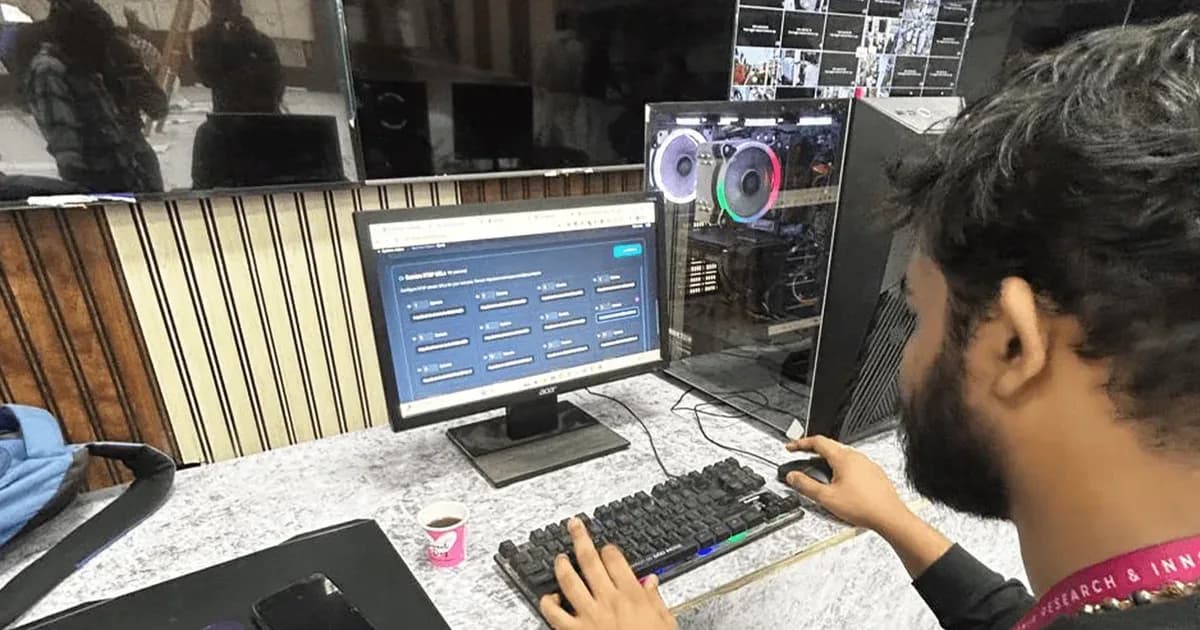
The easy way to build a computer vision product today is to send every camera frame to a cloud API and wait for the answer. In India that often fails twice: the round-trip is too slow for anything interactive, and at many real sites the network is not there when you need it. Edge AI runs the model on hardware next to the camera instead. This guide covers when that matters and what it takes, using two systems we built: touchless gesture games inside Tata IPL stadiums, and sanitation monitoring at one of the biggest gatherings on Earth.
Why the cloud fails in two ways
The first is latency. People notice input lag above about 100 ms, and above 150 ms an interaction feels broken. A round-trip to a cloud inference service in India costs 80–200 ms on its own, before the model has even run. For anything a person interacts with in real time, the cloud has spent the whole budget before the work starts.
The second is connectivity. Many real sites, from stadiums to open event grounds, have weak or patchy mobile data, and it tends to vanish exactly when the crowd is largest. A system that needs a server to make each decision stops working at the moment it matters most.
Case 1: a latency budget at Tata IPL
For Tata IPL we built a gesture-gaming system: people walk up, wave, and the game responds, with no buttons, no touchscreen and no calibration. The whole system was designed around the latency budget.
- A GPU at every station, with no cloud in the loop. Total inference time is under 40 ms.
- Cameras capture at 60+ FPS, but the model does not process every frame. Frames are selected by motion, so idle frames are dropped and action frames are prioritised.
- Image normalisation, region-of-interest extraction and tensor preparation run in compiled code rather than Python.
- Custom models trained on footage that looked like the actual venue, because off-the-shelf gesture libraries assume controlled studio lighting.
Testing still found problems. Colour casting from stadium LED boards threw off the first model entirely, so we retrained it with augmented colour-shift data. One station overheated within two hours of continuous play, so we added forced airflow before deployment. Several people in frame confused early versions of the tracker, so we added skeletal disambiguation logic. The system has since run over multiple seasons, in Kolkata Knight Riders engagement zones and at TCS corporate events.
Case 2: no network at one of the biggest gatherings on Earth
At an annual pilgrimage in India that brings millions of people to a single site over a few days, the event administration needed sanitation issues detected in real time and routed to cleaning crews. The ground was a tidal sandbar with patchy 4G that disappeared whenever it mattered most. Anything that needed a round-trip to a server was going to fail.
- Custom models trained in-house: off-the-shelf models broke on fog, dust and crowd density, so we trained on data that looked like the actual ground.
- Quantised for edge GPUs: cloud-grade models are too heavy for Jetson-class hardware. After weeks of optimisation, model size came down by about 70% with accuracy held.
- Local first, sync later: detections were processed on the device and the dashboard synced whenever the network returned. During a three-hour blackout the system kept working.
Heat bit us here too. Edge GPUs in metal boxes under direct sun started throttling within hours on the first day, and we retrofitted cooling in the field. By the second day the dashboard was showing real detections, and field teams were responding faster as the routing logic learned where crews actually moved.
What it takes to build edge AI
- Train on the real site: models need data from the actual environment, with its lighting, dust, fog, LED strobing and crowds.
- Optimise for the hardware: quantise and optimise models to run on NVIDIA Jetson-class devices or Intel hardware with OpenVINO, with GPU pipelines in CUDA.
- Budget every millisecond: decide the latency target first, then select frames, move pre-processing out of Python and keep the model inside the budget.
- Design for heat: an edge GPU in a sealed box in the sun will throttle, so airflow and enclosure design are part of the AI project.
- Work offline first: process locally, queue results and sync to the cloud dashboard when the connection returns.
When the cloud is still fine
Not every AI system needs the edge. If nobody is waiting on the answer in real time and the site has reliable internet, for example batch analysis of recorded footage or reports generated overnight, a cloud model is simpler to run and update. Edge AI earns its extra engineering when the response has to be instant, the network is unreliable, or both.
Questions to ask before you start
- How fast must the system respond, and who notices if it is slow?
- What happens at the site when the internet goes down for an hour?
- Has the model been trained on footage from conditions like yours?
- Which edge hardware will it run on, and how hot will that hardware get?
- Who builds the dashboard and alert routing on top of the model?
Our AI and computer vision work →
Case study: real-time gesture gaming for IPL and live events →
Case study: AI sanitation monitoring at one of the biggest gatherings on Earth →
Guide: IoT product development in India, from idea to 500 units →